Wayneko
Wayneko is an animated cat (or dog) for your Wayland desktop. Not quite a port of the original xneko, but just as charming.
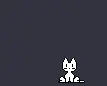
It should work with all Wayland servers that support the zwlr-layer-shell↗ protocol.
Caveat: Wayland does not support input spying. A wayland client only gets pointer inputs while the pointer is interacting with its surface. At the time of waynekos creation, the single-pixel-buffer protocol did not exist yet, so creating a transparent surface spanning the entire output was not cheap. Instead I compromised on restricting neko to the bottom of the screen. She can walk left and right and follow the pointer, as long as it's on her height.
You can find the code repository on sourcehut↗.
wayneko(1)
WAYNEKO(1)                               General Commands Manual                              WAYNEKO(1)

NAME
     wayneko - Neko on Wayland

SYNOPSIS
     wayneko [-h] [--help] [-?]
     wayneko [--background-colour 0xRRGGBB[AA]] [--outline-colour 0xRRGGBB[AA]] [--type neko|inu|random]
             [--idle-sleep seconds] [--sleepiness num] [--sleepiness-night num]
             [--layer background|bottom|top|overlay] [--follow-pointer true|false] [--survive-close]

DESCRIPTION
     Display  an  animated  neko cat on the bottom of an output.  Responds to the pointer being near the
     bottom edge of that output.  While most cats are usually active at night, wayneko likes  to  mostly
     sleep when it's late, only occasionally waking.

     Requires the Wayland server to implement zwlr-layer-shell-unstable-v1.

OPTIONS
     -h, --help, -?
            Print help text and exit.

     --background-colour 0xRRGGBB[AA]
            Set  the  background  fill  colour  using a hexadecimal colour code prefixed by '0x'.  Alpha
            value is optional.

     --outline-colour 0xRRGGBB[AA]
            Set the outline colour using a hexadecimal colour code prefixed by '0x'.  Alpha value is op‐
            tional.

     --type neko|inu|random
            This option lets you choose between neko and her friend inu.

     --idle-sleep seconds
            Set the time in seconds after which neko will go to sleep when the user is idle.

     --sleepiness num
            Set neko's sleepiness as an integer (greater than 0). Higher values make neko  more  sleepy.
            Defaults to 4.

     --sleepiness-night num
            Set  neko's sleepiness at night as an integer (greater than 0). Higher values make neko more
            sleepy. This setting acts as an additional sleepiness on top of the normal  sleepiness.  De‐
            faults to 5.

     --layer background|bottom|top|overlay
            Set  the  layer  for  the surface.  Defaults to bottom.  Bottom is typically beneath regular
            windows and top above them.  Overlay is usually  displayed  even  over  fullscreen  windows.
            Background may conflict with wallpaper clients.

     --follow-pointer true|false
            Set whether neko follows the pointer when it approaches the bottom of the output

     --survive-close
            If  this flag is used, wayneko will recreate the surface after it has been closed.  This al‐
            lows neko to migrate outputs should the one she is currently on  be  disconnected,  but  may
            cause  some  undesired  behaviour should the server try to close the surface for a different
            reason.

AUTHOR
     Code by Leon Henrik Plickat.

     Neko bitmaps taken from public domain.

git.sr.ht/~leon_plickat/wayneko                2024-03-24                                     WAYNEKO(1)